

The ESP32-S2-Kaluga-1 is a flagship multimedia development kit from Espressif Systems, specifically engineered for Human-Machine Interface (HMI) applications. Powered by the ESP32-S2-WROVER module, this kit serves as a versatile ecosystem for prototyping smart devices with audio, video, and touch capabilities.
In this guide, we provide a deep dive into the ESP32-S2-Kaluga-1 Pinout, hardware configurations, and optimization tips to help you build next-gen IoT solutions.
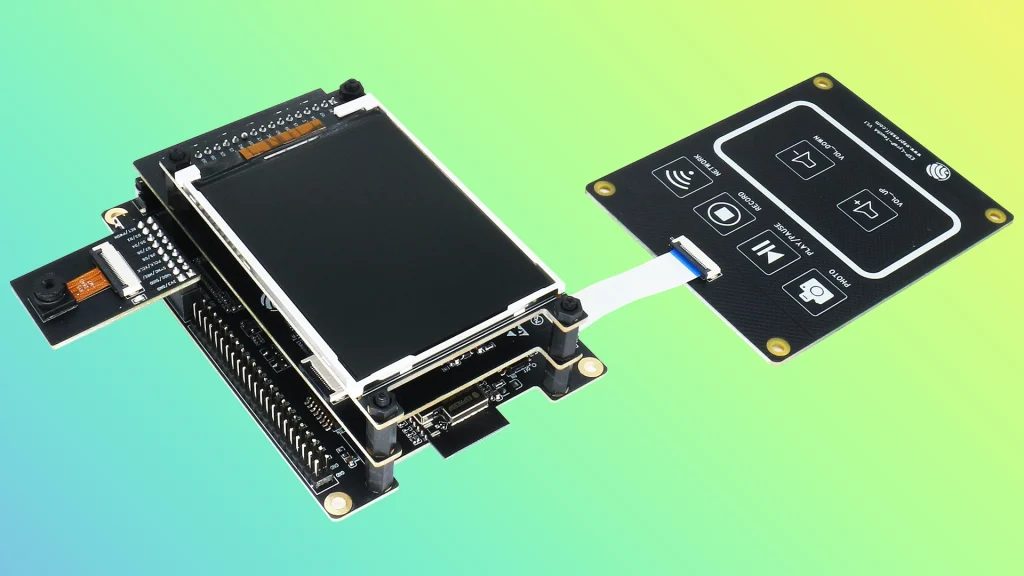
2. Architecture and Extension Modules
The Kaluga-1 stands out due to its modular design. It acts as a «motherboard» for several specialized «daughter» boards:
The Kaluga-1 stands out due to its modular design. It acts as a «motherboard» for several specialized «daughter» boards:
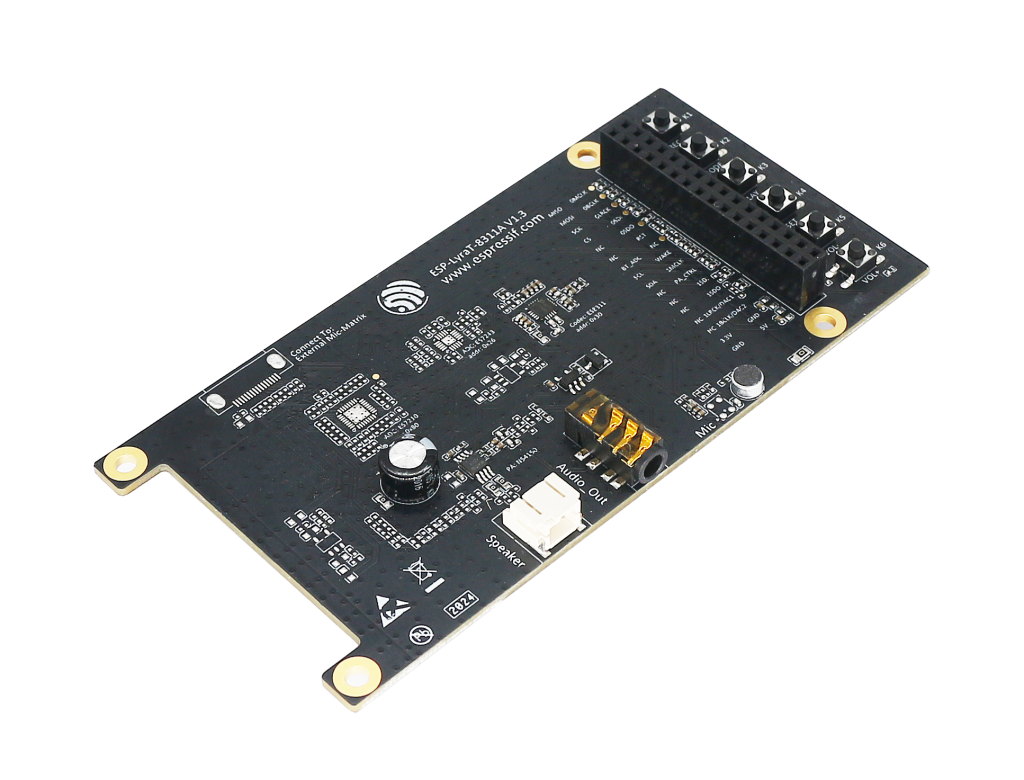
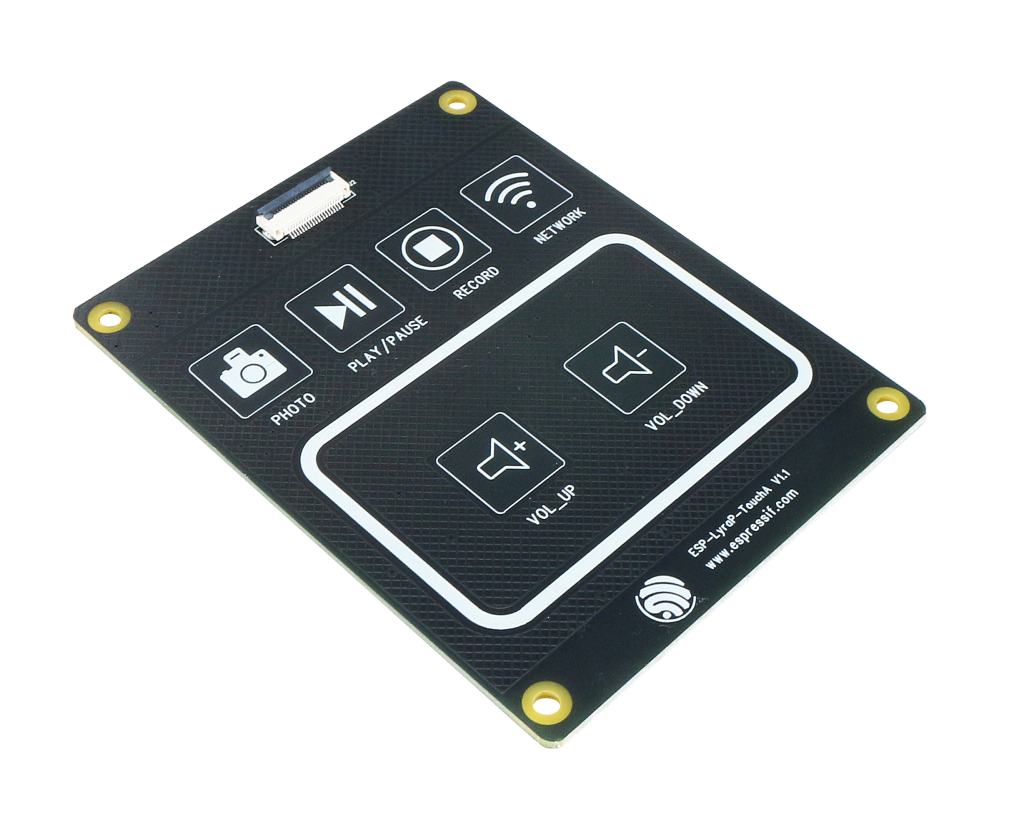
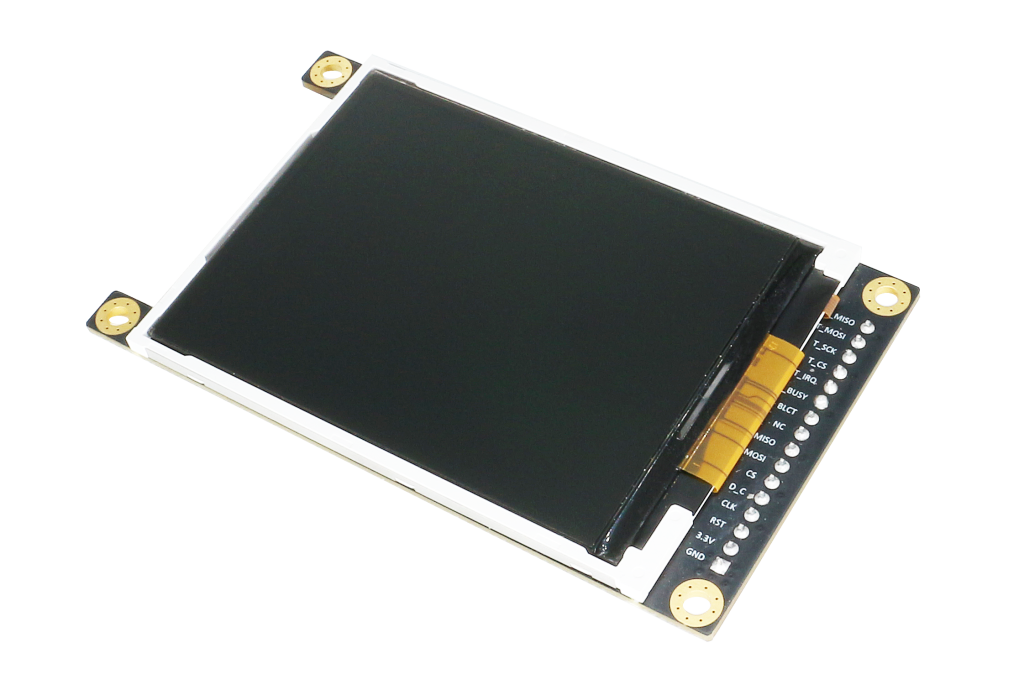
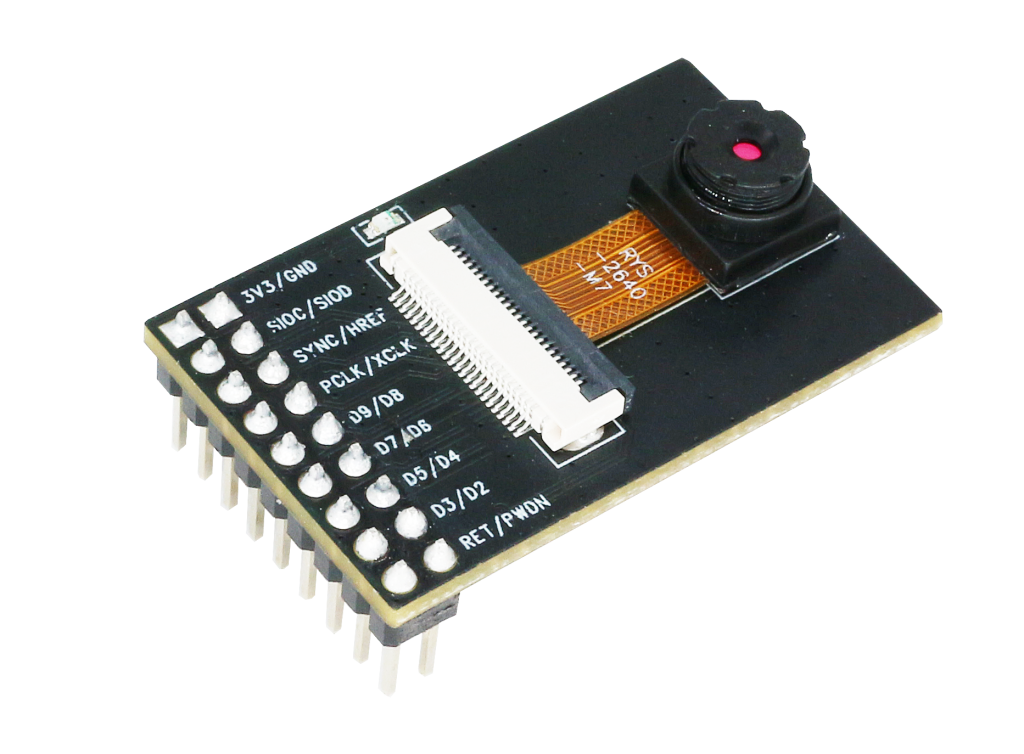
Key Hardware Features:
3. Detailed ESP32-S2-Kaluga-1 Pinout
Understanding the ESP32-S2-Kaluga-1 Pinout is essential to avoid signal conflicts between the many integrated peripherals. The board utilizes two main expansion headers: J2 and J3.
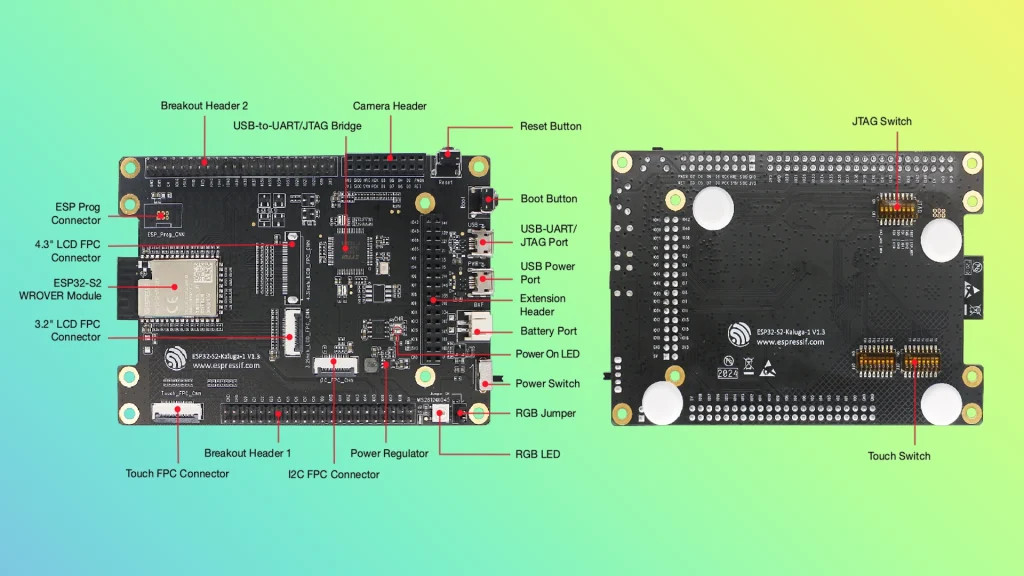
| Key Component | Description |
|---|---|
| ESP32-S2-WROVER Module | Module integrating the ESP32-S2 chip that provides Wi-Fi connectivity, data processing power, and flexible data storage. |
| 4.3” LCD FPC Connector | (Reserved) Connect to a 4.3” LCD extension board using the FPC cable. |
| ESP Prog Connector | (Reserved) Connection for Espressif’s download device (ESP-Prog) to flash ESP32-S2 system. |
| JTAG Switch | Switch to ON to enable connection between ESP32-S2 and FT2232; JTAG debugging will then be possible using USB-UART/JTAG Port. See also JTAG Debugging. |
| Breakout Header 2 | Some GPIO pins of the ESP32-S2-WROVER module are broken out to this header, see labels on the board. |
| USB-to-UART/JTAG Bridge | FT2232 adapter board allowing for communication over USB port using UART/JTAG protocols. |
| Camera Header | Mount a camera extension board here (e.g., ESP-LyraP-CAM). |
| Extension Header | Mount the extension boards having such connectors here. |
| Reset Button | Press this button to restart the system |
| Boot Button | Holding down Boot and then pressing Reset initiates Firmware Download mode for downloading firmware through the serial port. |
| USB-UART/JTAG Port | Communication interface (UART or JTAG) between a PC and the ESP32-S2 module. |
| USB Power Port | Power supply for the board. |
| Battery Port | Connect an external battery to the 2-pin battery connector. |
| Power On LED | Turns on when the USB or an external power supply is connected to the board. |
| Power Switch | Switch to ON to power the system. |
| RGB Jumper | To have access to the RGB LED, place a jumper onto the pins. |
| RGB LED | Programmable RGB LED and controlled by GPIO45. Before using it, you need to put RGB Jumper ON. |
| Power Regulator | Regulator converts 5 V to 3.3 V. |
| I2C FPC Connector | (Reserved) Connect to other I2C extension boards using the FPC cable. |
| Breakout Header 1 | Some GPIO pins of the ESP32-S2-WROVER module are broken out to this header, see labels on the board. |
| Touch FPC Connector | Connect the ESP-LyraP-TouchA extension board using the FPC cable. |
| Touch Switch | In OFF position, GPIO1 to GPIO14 are used for connection to touch sensors; switch to ON if you want to use them for other purposes. |
| 3.2” LCD FPC connector | Connect a 3.2” LCD extension board (e.g., ESP-LyraP-LCD32) using the FPC cable. |
4 Expansion Header Mapping Table
| Functional Group | GPIO Pins | Description |
| Power Supply | 5V, 3V3, GND | Main power rails for sensors and peripherals. |
| Touch Sensors | GPIO1 — GPIO14 | Dedicated to the Touch panel. Toggle «Touch Switch» to activate. |
| Camera Interface | GPIO36, GPIO37 | Video data lines (D2/D3). Fixed in hardware v1.3. |
| Audio / I2S | GPIO34, GPIO46 | Used for I2S communication with the audio codec. |
| LCD Interface | IO39 — IO42 | Shared with JTAG for display data transmission. |
| JTAG Debugging | IO39 — IO42 | Hardware debugging pins (MTCK, MTDO, MTDI, MTMS). |
| RGB Indication | GPIO45 | Controls the onboard WS2812B addressable LED. |
5. Crucial Hardware Settings (DIP Switches)
The board features physical switches to manage pin multiplexing:
6. Conclusion
The ESP32-S2-Kaluga-1 is a powerhouse for HMI innovation. By following this ESP32-S2-Kaluga-1 Pinout guide, you can effectively manage hardware resources and streamline your development process.
Developer Tip: Always power the board via both USB ports (Prog and USB) when using the LCD and Camera simultaneously to ensure current stability.
7. References & Legal Notice
This technical manual is developed based on the official documentation provided by Espressif Systems. We highly recommend referring to the primary source for the most recent updates regarding hardware revisions and detailed specifications.
Disclaimer: ESP32 and ESP32-S2 are registered trademarks of Espressif Systems (Shanghai) Co., Ltd. This guide is an independent technical review and is not an official publication of Espressif Systems.